

How To Train Your Agent: Getting Started with Agentforce
Salesforce is currently offering organizations free Agentforce credits, making it easier than ever to get started with AI. Within a couple of hours and minimal technical effort, your team can have a working AI assistant that answers questions about your Salesforce data in plain language.
Agentforce, you’ve heard of it?
If you’ve been hearing the term “Agentforce” buzzing around Salesforce circles lately and thought “that sounds like something for later”, we get it. AI can feel like a big lift, especially when your team is already stretched thin managing donors, programs, and day-to-day operations.
But here’s the good news: Salesforce has made the first step remarkably easy. They’re offering 100,000 free Agentforce Flex credits to use Agentforce, and have pre-built agents that come ready to go with out-of-the-box functionality. That means your team can start asking questions like “Summarize details of this Account?” or “Write an email acknowledging the most recent gift of this Contact” and get answers pulled directly from your Salesforce data, in plain language.
This guide will walk you through each step to get started. It’s designed for the person on your team who manages Salesforce with no AI expertise required, and no coding involved.
First, let’s set expectations
We want to be upfront about what this is and what it isn’t.
Enabling Agentforce with the default configuration isn’t going to transform how your organization works overnight. That’s not what this step is for. Think of it more like onboarding a new team member who’s eager to help but still learning the ropes. Right now, your agent can handle the basics: searching your data, summarizing records, answering straightforward questions. It’s helpful, but it’s not magic.
What this does accomplish is something harder to measure but genuinely valuable: it helps your team get comfortable with AI in Salesforce. They get to interact with it using real data, see how it responds, and maybe most importantly, lose the apprehension that keeps most organizations from starting at all. The bigger possibilities come later, as your team builds confidence and starts exploring what else the agent can do. This is just the first step on that journey.
But it’s a step worth taking especially while the credits are free.
Next, start the Agentforce setup
Step 1: Access your free Salesforce credits
Before anything else, you need to check if you have the Salesforce Foundations
, and if not, add it to your org. This is the $0 product that unlocks your Agentforce credits. Here’s how:
- Log into your Salesforce account
- Go to “Set Up” and select “Salesforce Foundations”
- Click on "Add to my Contract"
- Add Salesforce Foundations products to your cart
- Check out and head back to “Set Up” to start using Foundations

TIP: Can’t find Your Account or getting a permissions error? You likely need one of these permission sets: Manage Billing or Your Account App Admin User. Ask your Salesforce admin for assistance, refer to the current documentation, or reach out to us and we can help troubleshoot.
Step 2: Enable Agentforce
Once Salesforce Foundations is active in your org, your admin can turn on Agentforce. This is a quick toggle with no configuration needed yet.
- Go to Setup.
- Search for "Einstein Setup" in the Quick Find box.
- Toggle Einstein on.
- Next, search for "Agentforce Agents" in Setup.
- Enable Agentforce.
- Refresh your page.

TIP: Don’t skip the page refresh. Some Agentforce features won’t appear until you do.
Step 3: Activate your agent
To get you started, we’ll focus on setting up an agent with the out of the box General CRM and Record Summary capabilities.
Build the Employee Assistant agent:
- In Setup, go to Agentforce Agents.
- Click New Agent.
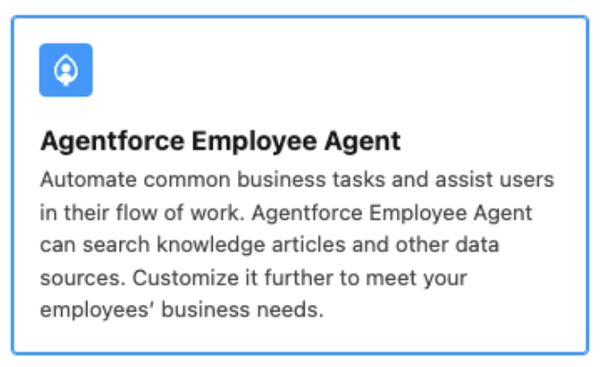
- Select the Agentforce Employee Agent template. Remove any preselected topics.
- Give your agent a role and provide information about your organization the agent represents.
- Skip selecting a data source for this setup.
- Create your Agent!
- Once created, add the General CRM topic to the agent.
- Create a permission set and assign it to the users who need access.
- Go back to Agentforce Agents in Setup,
- Click on your agent name, and
- On the Agent Access tab, assign the permission set you previously created.
- Alternatively, you could assign a profile to access to your agent.
- Enable the agent in Agentforce Builder and your users will be able to start asking general questions.


Then, train your agent (this is where it gets interesting)
Here’s the part that takes Agentforce from “neat” to genuinely useful: teaching it how your organization actually works.
Think of training your agent like onboarding a new hire. If you asked a brand-new employee to log into Salesforce and tell you who your largest donor was last year, they might be able to pull up a report — but they wouldn’t necessarily know which field to look at. Is it Total Gift Amount? Lifetime Giving? Something custom your team built? You’d need to point them in the right direction.
Your agent works the same way. Out of the box, it can search and summarize your data. But when you give it specific instructions, it gets much better at answering the questions your team actually asks.
Here’s how to add instructions:
- Open your agent in Agentforce Builder.
- Navigate to the General CRM Topic.
- Add instructions that tell the agent where to find the right data.
Example: Your team frequently asks: "Who was our largest donor last year?" and you have a field called Total Gift Amount
You’d add this instruction to the General CRM Topic:
"When a user asks about the largest donor, use the highest value from the Total_Gift_Amount__c field on a Person Account."
That’s it. The agent now knows exactly where to look.
The best way to train your agent:
- Start by writing down the 5–10 questions your team asks most often about your Salesforce data.
- For each question, identify the specific object and field that contains the answer.
- Add a clear instruction for each one to the relevant Topic.
- Test it. Ask the agent those questions and see if the answers make sense.
- Refine. If the agent gets something wrong, adjust the instructions. This is an ongoing process, not a one-time setup.
TIP: Involve your end users in this step. They know what questions they ask every day. and they’ll be more likely to use the agent if they helped shape how it works.
What comes after this?
Once your team gets comfortable with the basics by searching data, getting record summaries, or asking questions you'll naturally start thinking about what else the agent could do. That’s by design. Here are a few directions organizations are taking Agentforce beyond this initial setup:
- Internal knowledge assistants that answer HR or policy questions via Slack, pulling from your Google Drive or internal docs
- Customer service agents that handle website chat, look up order status, and escalate to humans when needed
- Voice-based data entry for field staff who can talk to the agent on their phone instead of typing into Salesforce
- Analytics agents that interpret your Tableau dashboards and surface insights in plain language
None of that is possible, though, if your team has never touched Agentforce. That’s why this first step matters. It’s not about the ROI of a default agent, it’s about building the comfort and curiosity that makes everything after it possible.
Want a hand getting started?
If you’d like Arkus to walk you through this,or just handle the whole thing for you we’re here for that! Our Agentforce task force has already helped multiple clients get up and running, and we can configure, test, and train your team in a matter of hours.
Reach out to our team through our contact form or connect with us on LinkedIn. We’d love to hear from you even if it’s just to tell us how your setup went.


